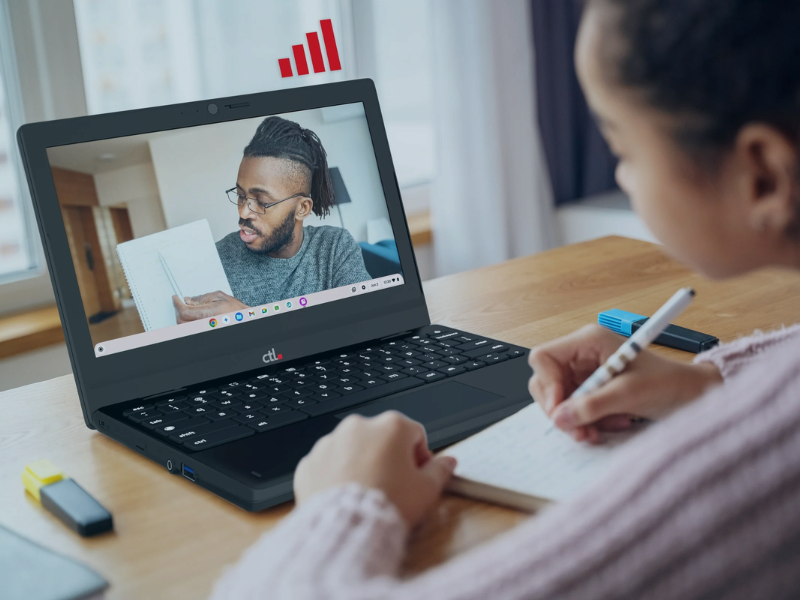


A student needs a computer to finish a research project. A small group is building a presentation. Another class arrives for a lesson on evaluating online sources.
Your school library makes room for all of them. Does your technology?
With school library technology solutions from CTL, schools can create a mix of flexible learning spaces and dedicated computer stations. Together, these devices can support research, collaboration, teaching, learning, digital literacy, and school-managed device lending—while helping IT teams manage a consistent ChromeOS environment.
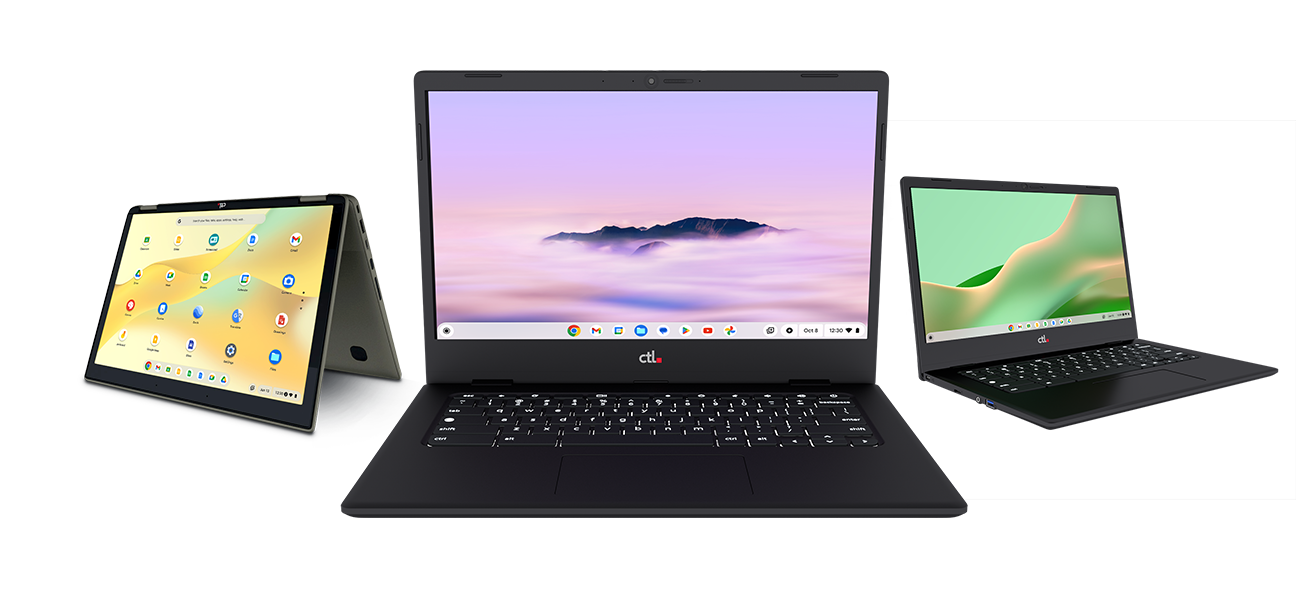
Chromebooks: Bring Learning to School Libraries
Learning in a school library moves between tables, quiet corners, and group workspaces. Portable computers let students choose a space that fits the activity.
Chromebooks can support everyday library activities such as:
-
Student research: access compatible online databases, digital collections, and educational websites.
-
Collaborative projects: work together on shared documents, presentations, and classroom assignments.
-
Digital literacy instruction: practice evaluating sources, organizing research, and communicating responsibly online.
-
In-library checkout: borrow a device for a study period or librarian-led activity.
-
Temporary device loans: help students continue working when their assigned computer is unavailable.
-
School-managed take-home lending: extend device access beyond the school day when students have suitable connectivity and district policies allow it.
CTL offers different screen sizes and form factors, allowing schools to choose devices around student needs. A compact Chromebook may suit a mobile checkout collection, while a larger screen may be useful for students moving between research materials and written assignments.
The benefit for your library: more flexibility in how—and where—students learn.
Chrome All-in-Ones: Give School Library Research a Dedicated Home
Some library activities benefit from a workstation that stays in place.
A student checking the catalog needs a convenient access point. Someone working through a longer research assignment may prefer a larger display and a designated desk.
Chrome All-in-One desktops combine an OPS-ready monitor with an integrated ChromeOS computing module. This design reduces separate desktop hardware and cable clutter.
Consider them for:
-
Catalog stations: give students a consistent place to find books and access compatible web-based library resources.
-
Research workstations: create dedicated spaces for reading, writing, and exploring digital collections.
-
Independent study: provide desktop access for students completing browser-based coursework.
-
Library instruction areas: equip fixed stations for guided research and digital-skills lessons.
Chrome desktop's design also enables the computing module to be replaced while retaining a compatible monitor. That gives schools a more affordable, sustainable option when planning future desktop upgrades.
The benefit for your library: an organized, dependable place for focused computer work.
Multiple Device Types. One Thoughtful School Library Tech Plan.
The right mix starts with what students need to do.
|
Your school library’s need |
Device option to explore |
|
Fixed catalog and research stations |
CTL OPS All-in-One desktops |
|
Independent work at a designated workstation |
CTL OPS All-in-One desktops |
|
Flexible seating and group projects |
CTL Chromebooks |
|
In-library device checkout |
CTL Chromebooks |
|
Classroom loans and temporary replacement devices |
CTL Chromebooks |
|
Teaching library science or other subjects |
Interactive flat panel displays |
|
School-managed take-home lending |
CTL Chromebooks with embedded 5G/4G |
Imagine a library with dedicated catalog stations near the entrance, desktop research stations in a quiet area, an integrated flat panel display for teaching, and Chromebooks available for checkout at the circulation desk.
Each device has a clear purpose. Students gain more ways to access learning resources, and staff can direct them to the right tool for the task.
Make Technology Management Part of the Plan
A library technology refresh should work for the people supporting it, too.
All ChromeOS-based devices - interactive panels, Chromebooks, desktops - can be managed through the Google Admin console with appropriate management licensing and enrollment. For districts already using ChromeOS, this can help bring library devices into a familiar management environment.
Before deployment, have library staff and district IT test the workflows students will use most:
-
Signing in and accessing assignments
-
Opening the library catalog and research databases
-
Printing and using required peripherals
-
Working with accessibility tools
-
Returning, charging, and checking out shared devices
Choose configurations based on those results, including the appropriate student sign-in or shared-use setup.
Plan Your School Library Technology Strategy Beyond the First Day
The purchase is only one part of a successful library technology program.
Consider how devices will be stored, charged, tracked, repaired, and eventually replaced. Plan for lifecycle services spanning planning, configuration, deployment, maintenance, and disposition, helping schools build support around their device investment.
For lending programs, establish clear checkout procedures and return expectations. For desktop stations, identify who handles updates, support requests, and workstation availability.
A little planning helps keep the library ready for the next class, the next project, and the next student who needs a computer.
Start Your School Library’s Next Technology Chapter
Your library connects students with ideas. The right technology can help them explore those ideas, collaborate with classmates, and turn research into meaningful work.
Whether you are refreshing a few research stations or building a broader device lending program, CTL can help you explore a practical mix of Chromebooks and ChromeOS All-in-Ones.
Ready to plan your school library refresh?
Explore CTL's technology solutions for your school library.