

Your next Chromebook purchase starts with a question: How will this device work for the students, teachers, and IT staff who depend on it?
As your school or district plans Chromebook orders for 2027 and 2028, a hands-on evaluation can help turn a list of specifications into practical answers. Test your learning tools, gather feedback, and see how a device fits your daily routines before moving forward with a volume purchase.
CTL’s Buy and Try program gives qualifying organizations a way to do just that.
How Does CTL’s Buy and Try Program Work?
CTL offers single evaluation units at a 60% discount to qualifying volume purchasers of 30 or more devices, including education organizations.
The evaluation unit is yours to keep. There is no loaned demo device to track and return, giving your team an opportunity to examine the hardware and assess its fit for your school.
Each organization is limited to one Buy and Try device model per location, and promotional pricing is subject to approval.
Request Your CTL Buy and Try Unit
Give Your Next Chromebook Purchase a Classroom Test
A useful evaluation should reflect how your school actually uses technology. Before testing a device, bring together representatives from IT and instruction to identify the tasks it needs to support.
Consider these five areas:
1. Everyday learning tools
Try the browser-based applications, learning management system, and classroom resources students use most often. Work through a typical lesson, including opening assignments, switching between resources, and submitting work.
2. Student and teacher usability
Evaluate screen size, keyboard comfort, trackpad response, and portability. If you are considering a touchscreen or convertible device, test how those features support the activities you have planned.
3. Your district’s technology environment
Have IT staff assess the device with your network, peripherals, and intended management settings. Document any configuration requirements or questions before building your deployment plan.
4. Different grade-level needs
Ask whether the same device configuration makes sense for every group. Compare the needs of younger students, older students, and staff based on the work they will actually do.
5. Day-to-day support
Discuss repair processes, replacement parts, warranty options, and spare-device planning. Include these considerations alongside the purchase price when reviewing your options.
Explore CTL Chromebook Options
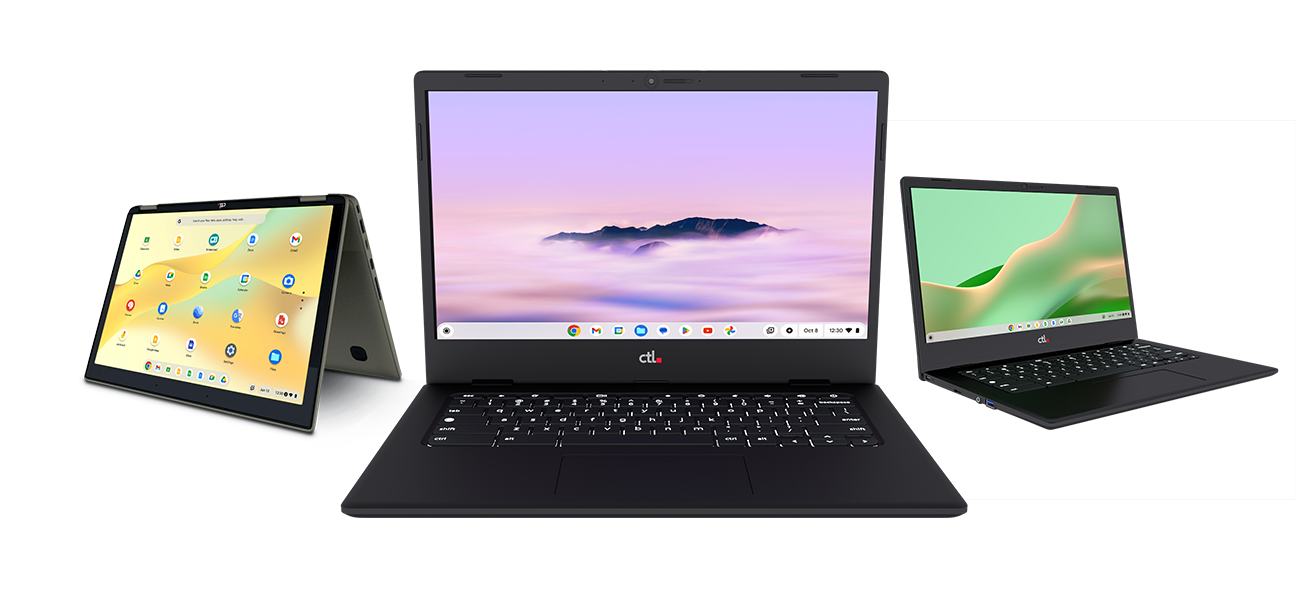
CTL’s current Chromebook lineup includes 11.6-inch, 12.2-inch, and 14-inch devices, with clamshell and convertible options across the range. CTL also offers Chromebook Plus models and Chromebooks with integrated cellular connectivity.
Start by identifying your users’ requirements, then talk with CTL about an appropriate evaluation model. For future purchases, confirm available configurations and delivery timing as your order plans develop.
Plan Beyond the Initial Device Order
Choosing the hardware is one part of preparing for a school technology rollout.
CTL offers technology lifecycle services spanning program planning, configuration, deployment, maintenance, and end-of-life disposition. Your account manager can help you discuss which services fit your project and clarify what is included in your proposed order.
Use your evaluation period to outline the broader questions:
-
How many devices will each school or grade level need?
-
When should devices arrive for configuration and distribution?
-
What support will students, teachers, and IT staff need?
-
How will you handle repairs and maintain spare devices?
-
What is the plan for equipment being replaced?
Answering these questions early gives your team a clearer basis for budget discussions and purchasing decisions.
A Simple Checklist for Your 2027 and 2028 Chromebook Plans
Before requesting an evaluation device:
-
Identify the students or staff who will use the new Chromebooks.
-
Estimate your order quantity and target deployment date.
-
List essential applications, accessories, and connectivity needs.
-
Choose the IT staff and educators who will provide feedback.
During your evaluation:
-
Complete realistic classroom and administrative tasks.
-
Record what works well and any issues to resolve.
-
Review device usability and management requirements.
-
Discuss service options and purchasing details with CTL.
Before placing your volume order:
-
Confirm the selected model and configuration.
-
Review pricing, licensing, service coverage, and delivery timing.
-
Align the purchase with your district’s budget and approval process.
Put Your Next Chromebook Decision to the Test
Give your team practical experience to bring into its next purchasing discussion. Whether you are planning a fleet refresh or expanding a student device program, start with a hands-on evaluation that reflects your school’s needs.
Request Your CTL Buy and Try Unit
Buy and Try is available to qualifying volume purchasers of 30+ devices. Each organization is limited to one Buy and Try device model per location. Promotional price is subject to approval.