

A job application is almost finished. A digital-skills class is about to begin. A patron needs a computer to take home. For your library, reliable technology helps turn those everyday needs into opportunities.
Choosing that technology means considering more than the purchase price. Your team needs devices patrons can use, settings IT can manage, and a support plan that fits the budget. Public computer stations, lending kits, and outreach programs may each call for a different setup.
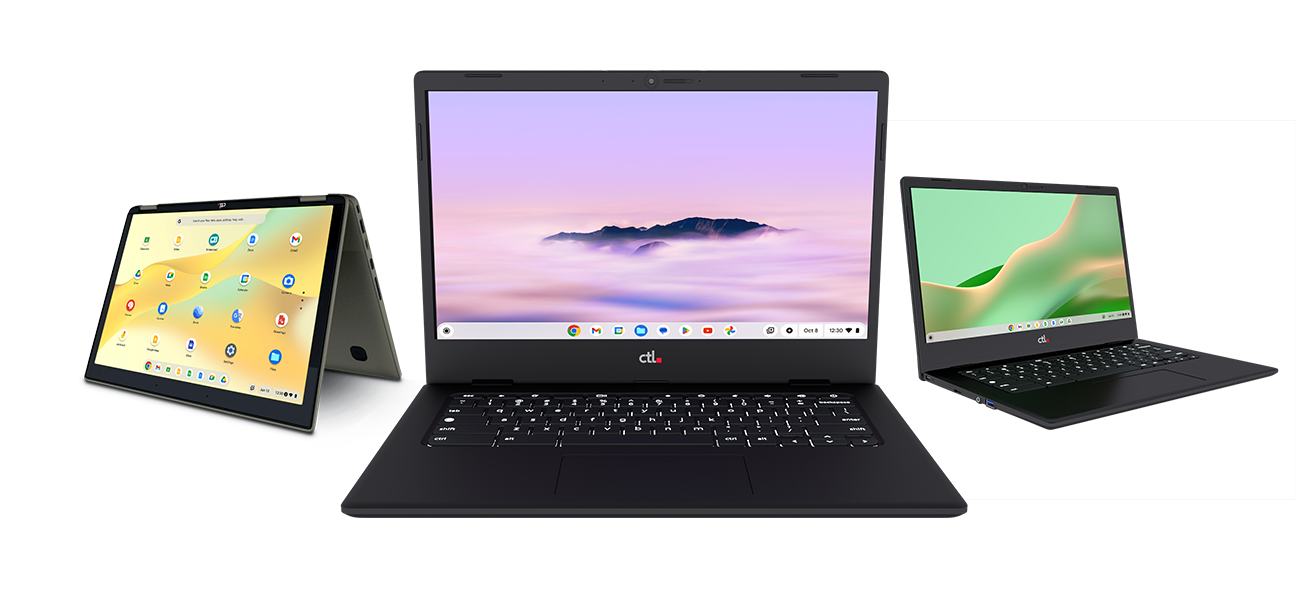
CTL Chromebooks, OPS All-in-One desktops, and LTE-enabled Chromebooks give libraries options to evaluate across those services. Here is how to build a plan around the work your patrons and staff need to do.
Start with the service your community needs
Bring IT, library leadership, and patron-services staff into the conversation early. IT can identify software and management requirements. Directors and purchasing teams can establish the budget and decision process. Frontline staff can explain where patrons struggle and which accessories need frequent replacement.
Use that input to prioritize a few specific outcomes: more available public computers, a portable lab for classes, a lending program, or connected devices for outreach. Document the tasks each device must support before comparing models.
Create practical public workstations with OPS All-in-One desktops
Fixed stations give patrons a place to search the catalog, research a topic, complete online forms or work on documents. CTL’s OPS All-in-One with ChromeOS combines an OPS-ready monitor with an integrated computing module, reducing separate desktop hardware and cable clutter.
The modular design also allows a compatible computing module to be replaced while retaining the monitor. That makes it worth evaluating when planning future workstation upgrades.
Consider these desktops for public-access areas, catalog terminals and digital-literacy labs. For staff service desks, confirm that the required circulation and administrative applications work with the proposed configuration. Test printing, reservations, payment tools, and accessibility features before expanding deployment.
Explore CTL OPS All-in-One desktops
Use Chromebooks for lending and flexible learning spaces
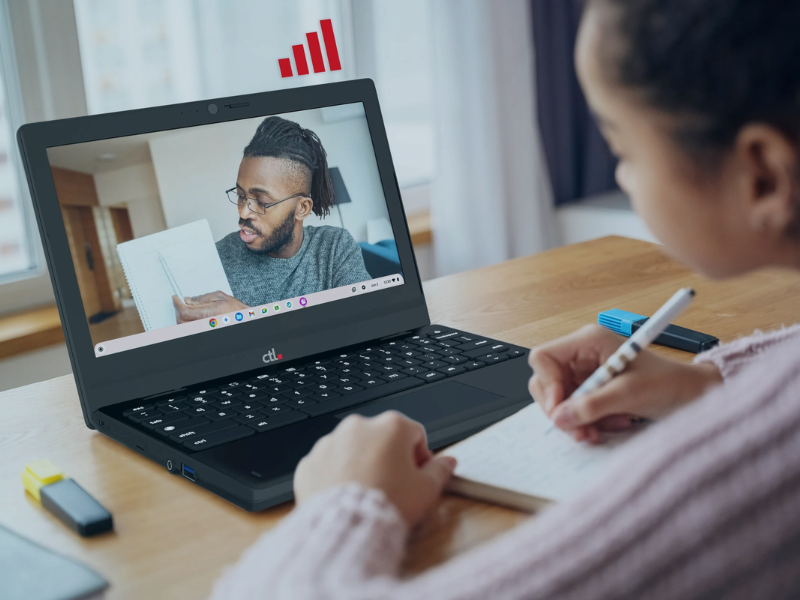
Portable computers let a library offer access beyond a fixed row of desks. A Chromebook can support an in-branch checkout program, a small-group workshop, or a take-home lending kit.
For digital-skills classes, plan around the activities participants will practice: email, online applications, document creation, and browser-based learning resources. For lending, decide how patrons will connect, save their work, and get help. Include chargers, protective storage, and clear return instructions in the program design.
Match screen size and form factor to the intended users. A device that works well for a short catalog search may not be the best choice for a lengthy writing session. Ask staff and patrons to try representative tasks before choosing a fleet.
Plan connected lending and outreach with LTE Chromebooks
A take-home computer is more useful when the borrower has a way to connect. LTE-enabled Chromebooks offer another option for programs serving patrons without dependable Wi-Fi or bringing services to community locations.
CTL’s PX112C Series includes integrated 5G, 4G LTE, and CBRS connectivity for supported networks. With compatible cellular service activated, the Chromebook can connect without a separate hotspot for that device.
Potential library uses include connected lending kits, bookmobile activities, and browser-based workshops at partner locations. Evaluate coverage where the devices will actually be used. Include activation, data-plan costs, charging and borrower support in the budget. Service and performance depend on the network and location; CBRS requires compatible private-network infrastructure.
Explore CTL LTE-enabled Chromebooks
Make audio accessories part of the experience
Headphones help patrons listen to tutorials without filling a shared room with sound. A headset with a microphone can support a virtual interview, language practice, or an online class.
Evaluate accessories alongside the computers. Check connection compatibility, microphone clarity, volume controls, and comfort. Review manufacturer-approved cleaning instructions and replacement-part availability. For checkout kits, decide how staff will inspect, clean, and track each accessory between borrowers.
Ask CTL about suitable accessory options for the selected devices. Confirm features on the actual model rather than assuming every headset has noise cancellation, replaceable ear cushions, or a particular cable design.
Configure shared sessions around patron needs
With appropriate management licensing, the Google Admin console supports centralized settings for ChromeOS devices. Managed guest sessions allow shared-device use without requiring a Google Account and support controls such as session duration.
Google states that local user data is wiped when a managed guest session ends. That does not erase information retained by websites or other systems. Your team should verify logout behavior, patron notices, and instructions for saving work. Confirm the appropriate license for a public library; do not assume school licensing applies.
Review Google’s managed guest session guidance
Compare the full cost and confirm the purchasing path
Build a budget that covers hardware, management licensing, deployment, connectivity, accessories, repairs and spares. Check the specific model’s remaining ChromeOS update support against your intended service life. Include a plan for equipment retirement so the next refresh does not begin with a storage backlog.
Work with your purchasing team to confirm the approval calendar and the process for the complete project. CTL lists public-sector purchasing options on its contracts page. Ask CTL and your procurement staff to verify the current contract, eligible buyers, and covered products before selecting a route.
Review CTL public-sector purchasing options
Pilot the experience before expanding
A focused pilot gives your team evidence for the purchase decision. Define the questions first, then choose devices and participants that represent the intended deployment. Ask CTL about available evaluation options and their current terms.
-
Can patrons complete the required catalog, research, and online-service tasks?
-
Do printing, booking, payment, and assistive tools work as expected?
-
Can staff configure devices and support common problems?
-
Do session controls and instructions help patrons protect and save their work?
-
For lending, do connectivity, accessories, and returns work as planned?
Record the results, resolve issues, and use the findings to refine the rollout. A successful pilot should help your team explain both the patron benefit and the ongoing operating cost.
Plan your library technology project with CTL
Whether you are refreshing public computers or exploring a new lending program, start with your service goals. Share your use cases, approximate quantities, locations, and timeline with CTL so we can discuss device options and the requirements to evaluate together.