


Spreadsheets are often the first tool schools use to track devices. They are familiar, flexible, shareable, and inexpensive. For a small inventory, they may work reasonably well. The problem begins when a district adds more students, devices, campuses, repair activity, and staff members who need to update the same information.
At that point, a spreadsheet is no longer just a list. It becomes a mission-critical operating system that was never designed to manage Chromebook assignments, audit trails, repairs, help-desk tickets, warranties, transfers, and other technology lifecycle decisions.
See how Rocket by CTL can help your district centralize device records and reduce spreadsheet-driven work.
Shared Sheets Still Create Record-Control Problems
Google Sheets and other cloud spreadsheets solve many old version-control problems, but they do not create a governed technology asset workflow. Staff can still duplicate tabs, overwrite fields, use inconsistent statuses, or update a row without an assignment history. Rocket by CTL replaces a general-purpose grid with structured technology asset records and repeatable workflows.
Manual Entry Increases Human Error
Serial numbers, asset tags, names, dates, and locations are easy to mistype. Copy-and-paste errors can overwrite entire rows or shift information into the wrong columns. Even careful staff members make mistakes when completing repetitive updates during busy collection or deployment periods.
Rocket by CTL can import a clean CSV from a Chromebook, repair, or other technology vendor, reducing repetitive entry and giving teams a controlled starting point for ongoing updates.
Spreadsheets Lack Strong Assignment Workflows
A spreadsheet can show a student name next to a serial number, but it does not create a consistent check-out, transfer, return, or loaner workflow. Rocket by CTL supports structured device allocation and deallocation so schools can connect technology assets to students, staff, rooms, or locations and maintain clearer accountability.

Repair Information Becomes Fragmented
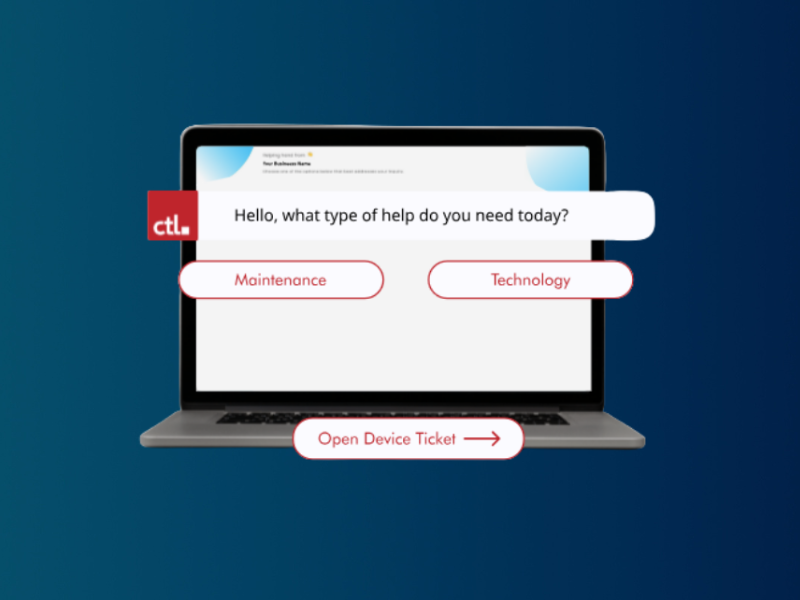
Repair details may live in help desk tickets, vendor portals, email, paper notes, and separate worksheets. Without a unified history, it is difficult to know how many times a device has failed, how much has been spent on it, or whether a recurring issue affects an entire model. Use K-12 asset management software to keep all of this information in a single, unified location.
Audits Take Too Long
A reliable audit should quickly identify missing, unassigned, transferred, retired, and duplicate devices. Even in a shared cloud spreadsheet, staff may spend hours filtering columns, reconciling inconsistent entries, and comparing school-level tabs. Rocket by CTL centralizes technology asset records and helps teams focus audit work on exceptions.
Reporting Is Difficult to Repeat
Administrators may ask for inventory by school, device age, warranty status, repair volume, or projected replacement costs. Building these reports manually from spreadsheets or other sources takes time and may produce different answers depending on who prepares them. A dedicated K-12 asset management software system makes recurring reports easier to standardize.
Permissions Are Often Too Broad or Too Limited
A shared spreadsheet may give too many people access to sensitive records or prevent the right staff from making necessary updates. Asset management software gives schools role-appropriate access so technicians, building staff, administrators, and district leaders can complete their responsibilities without exposing or changing unrelated information.
Growth Magnifies Every Weakness
The spreadsheet that worked for a few hundred devices often becomes fragile as a district grows into the thousands. One-to-one programs, take-home devices, summer repairs, student mobility, and multi-campus operations require structured assignments, help-desk tracking, status controls, and standardized reports that a dedicated platform such as Rocket by CTL can provide.
What to Look for Instead
There are many K-12 asset management platforms that can support centralized records, fast search, assignment tracking, repair history, status updates, reporting, and repeatable collection workflows. It should also be easy enough for busy school teams to adopt without creating another administrative burden.
In some cases, this software is subscription-based. Other, free solutions do exist for schools, such as Rocket by CTL.
A Practical Next Step
Schools do not need to replace every process overnight. Begin by identifying the most unreliable spreadsheet workflows, cleaning the current inventory, and moving the highest-value records into one managed system. Rocket by CTL is available at no cost to K-12 schools, making it a practical option for districts that want to move beyond spreadsheets without adding a major software expense.
See how Rocket by CTL can help your district centralize device records and reduce spreadsheet-driven work.