

Filter By:
- - Topics -
- Kiosks and Digital Signage
- Chromebooks
- Chromebox
- ChromeOS
- Video Conferencing
- Private LTE and CBRS
- 5G
- Monitors
- Maintenance and repair
- Device rental programs
- Sustainability and responsibility
- Awards and recognition
- Lifecycle Services
- ITAD
- Other
- - Industries -
- Education
- Healthcare
- Government
- Retail
- Contact Centers
- Other corporate
- - Type -
- Article
- Case Study
- Webinars
- E-books and Guides
Reset

How Better Technology Asset Tracking Saves School Districts Time and Money
Better asset data reduces operational waste and gives district leaders the visibility to make smarter repair, purchasing, and refresh decisions.

Preparing for End-of-Year Chromebook Collection: A Complete Guide
A complete planning guide for collecting student Chromebooks, documenting damage, handling exceptions, and preparing devices for summer repairs.

Preparing for Beginning-of-Year Chromebook Collection: A Complete Guide
A complete guide for preparing, assigning, supporting, and reconciling student Chromebooks at the beginning of the school year.

10 Common Technology Asset Management Mistakes K-12 IT Teams Make
Small process gaps can create major inventory problems. Learn which mistakes cause the most device loss, reporting delays, and budget surprises.

How to Track Every Chromebook in Your School District
A step-by-step framework for tracking Chromebooks from receiving and deployment through repair, collection, reassignment, and retirement.

Why K-12 Schools Should Stop Tracking Technology Devices With Spreadsheets
Spreadsheets are easy to start but difficult to scale. Here are the warning signs that your district needs a more dependable device management process.

The Ultimate K-12 Technology Asset Management Checklist Every School Needs
A practical checklist for creating accurate inventory records, assigning devices, documenting repairs, preparing for audits, and planning future refresh cycles.

Why Modern SMBs Are Trading Traditional Desktops for ChromeOS All-in-Ones
For small and medium businesses (SMBs), office hardware has long been a compromise between bulky, wire-laden desktop towers and easily misplaced employee laptops. Dedicated workspaces like receptio...

Webinar - After the Incident: Cybersecurity Readiness for K-12 Districts with Diane Doersch
Recent K12 cybersecurity incidents are a reminder that K–12 cybersecurity risk does not end when a vendor restores service. Exposed information can fuel highly believable phishing and impersonation...
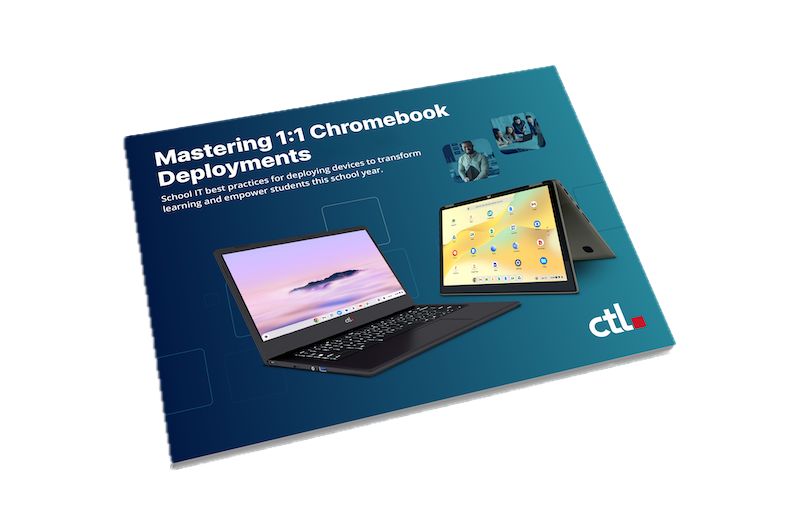
Streamline 1:1 Chromebook Deployments for 2026-27
The clock is ticking down to the new school year, and for K-12 IT teams, that means one major thing: device deployment season is here. Transitioning to or upgrading a 1:1 Chromebook program can fee...

Why Healthcare IT Leaders Are Choosing ChromeOS All-in-Ones
In healthcare, outdated desktop computers aren't just an IT inconvenience—they directly impact patient care. For years, hospitals and clinics relied on a mix of bulky desktop towers at nurses' stat...

How Baker Charter Schools and CTL Rewrote the Playbook on Virtual EdTech Logistics
For virtual learning programs, a student’s device is their classroom door—but keeping that door open often creates a logistical nightmare for IT departments. Instead of focusing on instructional te...